 Live Ambience
Screens
Your menu on every TV.
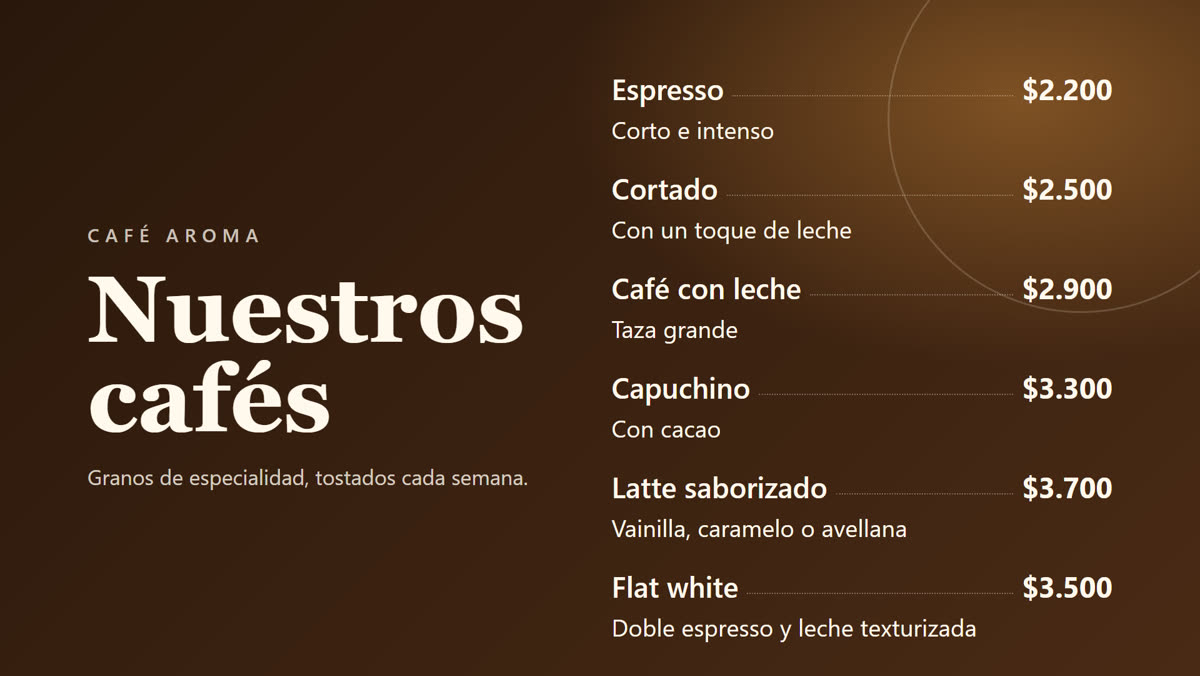
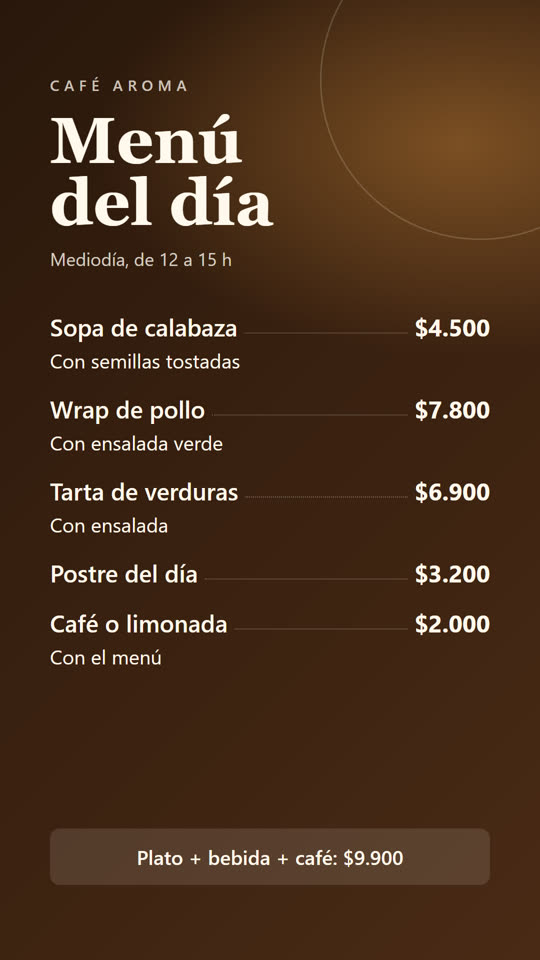
Images on loop, with days and times. With Premium, also videos and different content per store or area. Landscape or portrait, with no black bars.
Live demo: Landscape demoPortrait demo
Screens
Images on loop, with days and times. With Premium, also videos and different content per store or area. Landscape or portrait, with no black bars.
Live demo: Landscape demoPortrait demo
Central
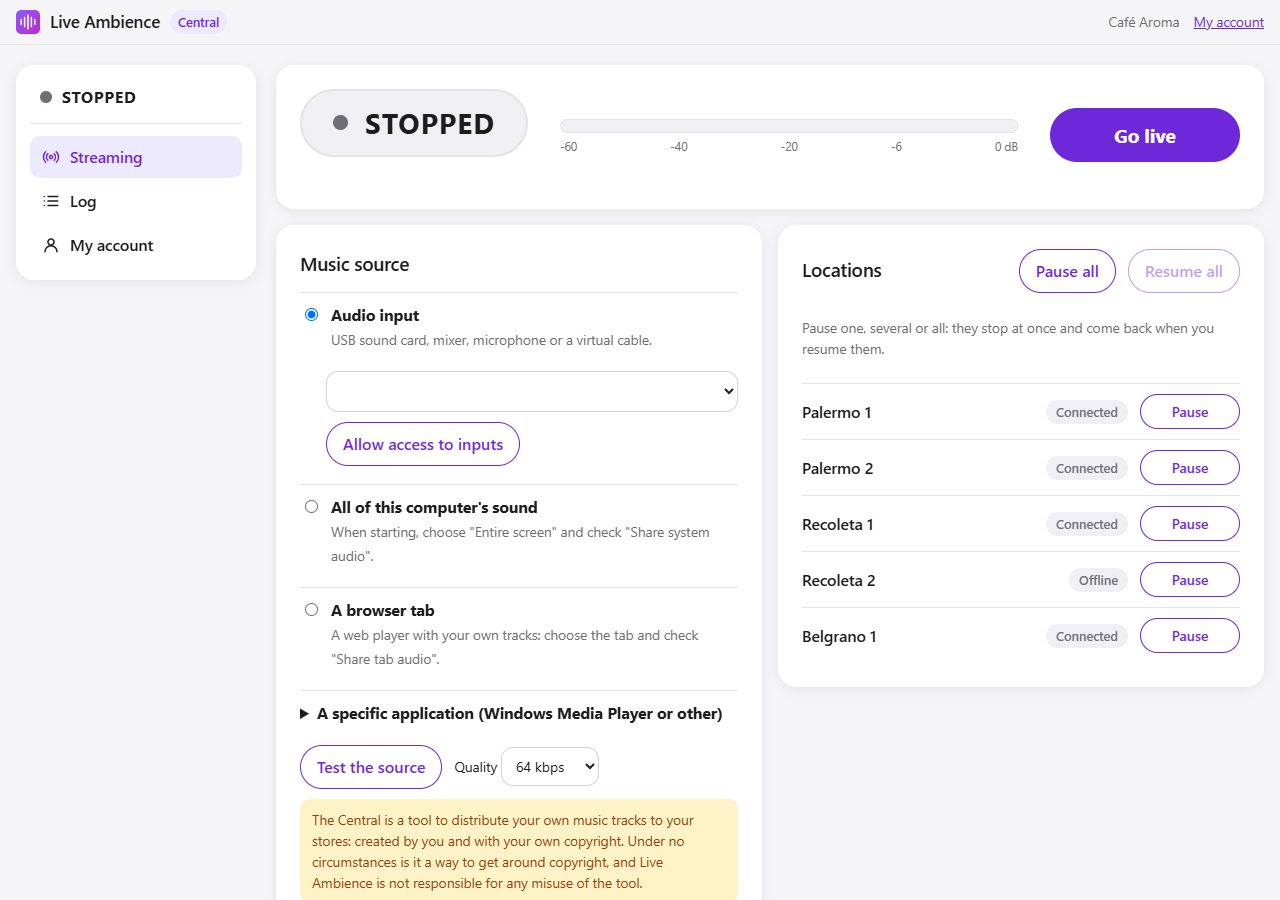
Pause one location, several or all with one click.
Locations
What is online, what plays and what shows.
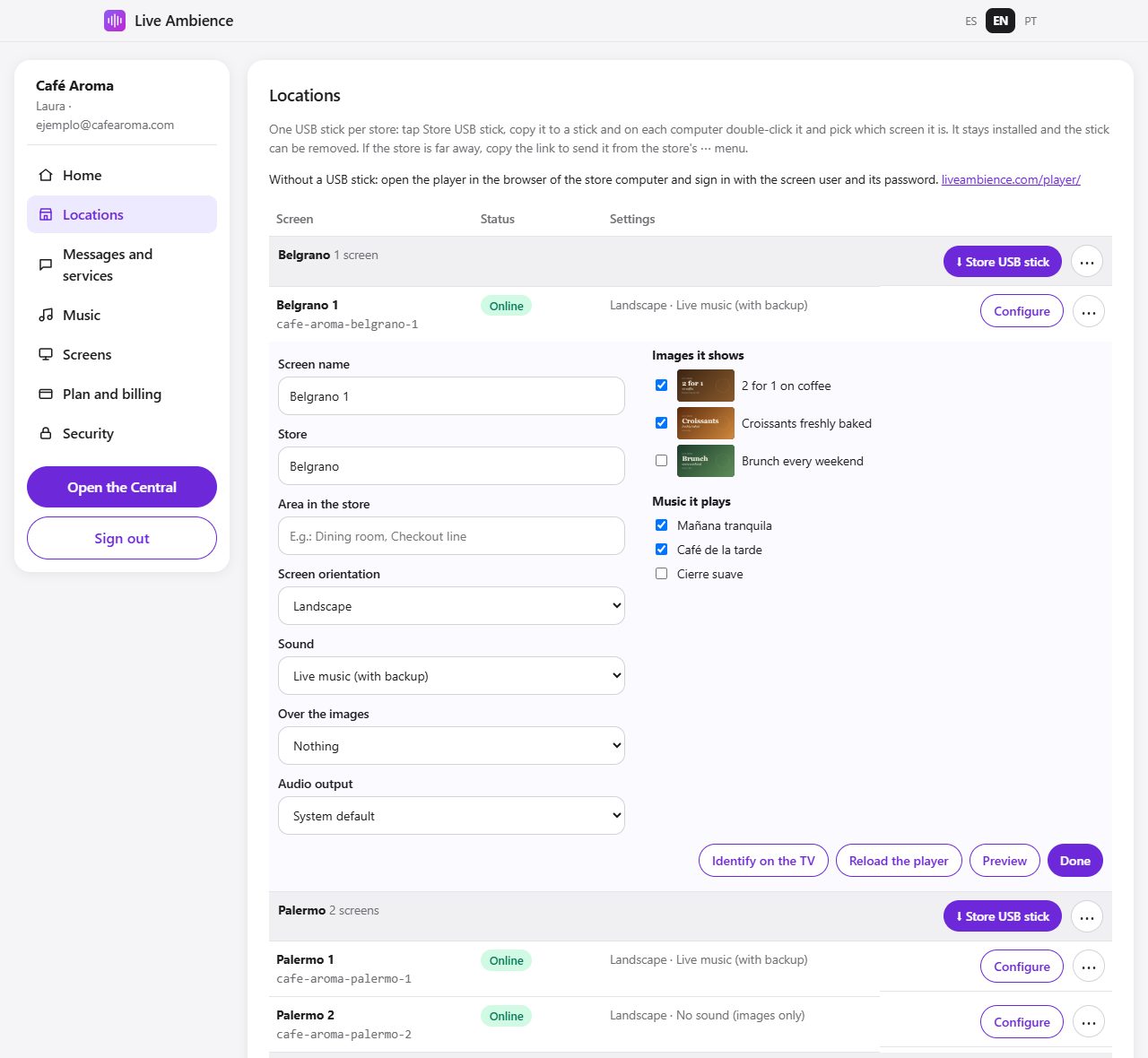
From headquarters you manage locations, screens, announcements and schedules. If you like, you can also send live audio from your mixer.
Our server keeps every player up to date with what you scheduled, and alerts you if one goes offline.
A computer connected to the sound system and the TV plays your company content 24/7, automatically and with no staff involvement.
Menus, promotions and photos looping on the store screens, landscape or portrait, with no signs on top.
Scheduled voice announcements, for all locations or only some, at each store's local time.
Add locations, see each player's status in real time and manage your subscription from any browser.
Pause one, several or all stores, choose each store's audio output and get an alert if a player goes offline, without visiting the location.
Each player stores your company images and audio on the store computer, and keeps working if the connection drops.
Upload your tracks, spots and voice-overs (owned or licensed): each store keeps them on its computer. Also works for stores without a fixed connection.
All locations play the same company content at the same time, just seconds apart.
Any Windows or Linux computer becomes a player: plug in a USB stick, double-click and it is running. Nothing to install.
Price per store with audio. Each store can have its TV; extra TVs are added as additional screens. Paying with crypto (USDT or USDC), 30% off any price.
Screens, announcements and your own audio in every store, also offline.
USD 6.99USD 9.99 per store / month
Billed yearly · monthly, USD 9.99Billed monthly · yearly, USD 6.99
30-day free trial
BuyBuyPlus live audio from headquarters, in every store at once.
USD 10.99USD 15.99 per store / month
Billed yearly · monthly, USD 15.99Billed monthly · yearly, USD 10.99
30-day free trial
BuyBuyEach store, area and screen with its own content, and videos on the TVs.
USD 16.99USD 23.99 per store / month
Billed yearly · monthly, USD 23.99Billed monthly · yearly, USD 16.99
30-day free trial
BuyBuy| Loop | Live | Premium | |
|---|---|---|---|
| Screens | |||
| Images on loop, with days and times | 10 | 30 | Unlimited |
| Portrait and landscape TVs | |||
| Time and weather over the images | |||
| Videos | · | · | |
| Messages | |||
| Scheduled voice messages (promotions, announcements) | 5 | 25 | Unlimited |
| Time and weather for each store, by voice | |||
| Chime before each message (can be turned off) | |||
| Content | |||
| Same content in every store | |||
| Different images, videos, audio and messages per store, area (dining room, checkout) or screen | · | · | |
| Audio | |||
| Your own audio preloaded in each store (licensed music, spots, voice-overs) | |||
| Keeps working without internet | |||
| Live company announcements and audio from headquarters (microphone, mixer or own playlist) | · | ||
| Pause and resume stores from the Central | · | ||
| Storage | 2 GB | 10 GB | 50 GB |
| Setup and control | |||
| Any Windows or Linux computer, or the TV browser | |||
| One USB stick per store, or a link to send it remotely | |||
| Identify and reload each screen remotely | |||
| Email alert if a store goes offline | |||
| Secure sign-in with an email code | |||
| In Spanish, English and Portuguese | |||
A Windows or Linux computer connected to the sound system and the internet, plus a USB stick. We also offer a dedicated device, ready to use.
A computer with the mixer or playlist and a stable connection.
The audio uses 64 kbps, less than an online radio. Only stores on capped mobile data should plan for about 20 GB per month.
No. Live Ambience is management software: it does not sell, provide or license music or any other content. Each business uses content it owns or has licensed, and is responsible for the public performance licenses of its stores. Live Ambience is not responsible for any misuse of the tool.
The player keeps working with the images and audio stored on the store computer, and catches up by itself as soon as the connection returns. We also email you if a store stays offline for more than 2 hours.
Yes, from your account. Paddle charges the proportional part until the renewal.
Through Paddle, by card, PayPal and other methods. Paddle issues the invoice and handles taxes.
Whenever you want, from your account. The service continues until the end of the paid period, and you have 14 days to request a full refund.
Choose the plan and the number of locations. Your account is active as soon as the payment is confirmed.
See plans and prices